APK.GOLD
Apk files for Android
Short info
In general apk file Screenshot has rating is 8.6 from 10. This is cumulative rating, most best apps on google play store have rating 8 from 10. Total reviews in google play store 381022. Total number of five star reviews received 276187. This app has been rated like bad by 36285 number of users. Estimated number of downloads range between 10,000,000+ downloads in google play store Screenshot located in category Tools, with tags and has been developed by LoveKara. You can visit their website http://www.guiyuan0316.com or send innovative_app@163.com to them. Screenshot can be installed on android devices with 4.0(Ice Cream Sandwich )+. We provide only original apk files. If any of materials on this site violates your rights, report us You could also download apk of Google and run it using android emulators such as big nox app player, bluestacks and koplayer. You could also download apk of Screenshot and run it on android emulators like bluestacks or koplayer. Versions of Screenshot apk available on our site: 3.1.28, 3.1.18, 3.1.08, 3.0.62, 3.0.29 and others. Last version of Screenshot is 3.1.28 was uploaded 2026/17/10
Screenshots of Screenshot
  • Screenshot
  • Screenshot
  • Screenshot
  • Screenshot
  • Screenshot
  • Screenshot
  • Screenshot
  • Screenshot
  • Screenshot
  • Screenshot
  • Screenshot
  • Screenshot
  • Screenshot
  • Screenshot
  • Screenshot
  • Screenshot
  • Screenshot
Description of Screenshot (from google play)

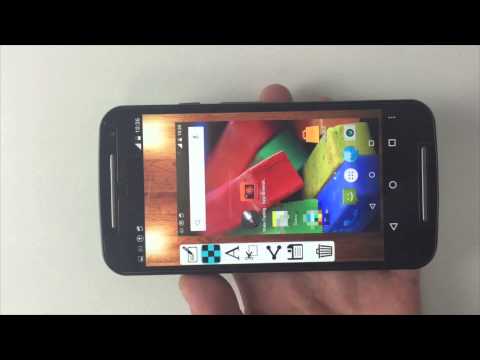
Easy Screenshot gives you the easiest way to capture your screen into images, it is the best snapshot tool.

1. You can take a screenshot by touching the shot icon or pressing power button and volume down button at the same time, or pressing power button and home button at the same time(on most Samsung phones).
2. You can specify the folders which the screenshots will be saved as images.
3. You can preview the screenshot and decide saving it or discarding it.
4. Croping any part of the screenshot.
5. Drawing on the screenshot.
6. Making mosaics on the screenshot.
7. Inputting custom text on the screenshot.
8. Sharing the screenshot after it’s taken.

Foreground Service & Screen Capture Notice
This app uses a foreground service with MediaProjection permission to enable the following core features:

Screen capturing and saving it to photo.


Why is this needed?
The foreground service ensures smooth performance while capturing your screen, and a persistent notification will remind you that the service is active. You can stop it anytime by closing the app or tapping the notification.

Privacy Promise:

We only capture content when you explicitly start the feature.

No background recording or unauthorized data collection.

Version history Screenshot
New in Easy Screenshot 3.1.28
3.1.28:
Bugs fixed.
Advertisement
Please rate this app
More info
Select the Easy Screenshot APK that fits your device

Android Version Requirements for Screenshot

How the minimum Android version needed by Screenshot has changed across the versions in the apkgold.in catalog. Tap a point on the chart to check a specific version.

3.1.28Oct 17, 2026Android 10+, target 16
Minimum AndroidTarget Android

The current Screenshot 3.1.28 runs on Android 10 and later and targets Android 16. In 2017, version 2.0.72 needed only Android 4.0.

Phone on an older Android? Newest versions that still work: Android 8.0: 3.1.18 (Nov 2025); Android 5.0: 3.0.29 (Dec 2022).

Other Easy Screenshot APK versions for Android
Popular android apps